Read the camping plan first. Listen after you have tried it.
We are going camping this weekend. We need to pack a backpack. We will sleep in a tent. We will cook on a camp stove. We will go on a nature walk.
What will they do?
Word Work
Longer Words and Syllables
Print p.11
Match pictures and build the words.
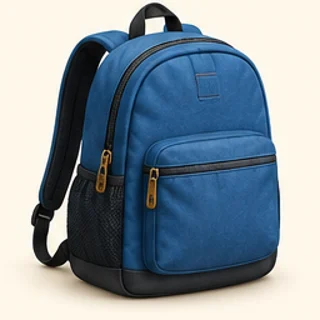
Tap the picture for “backpack”.
Build backpack.
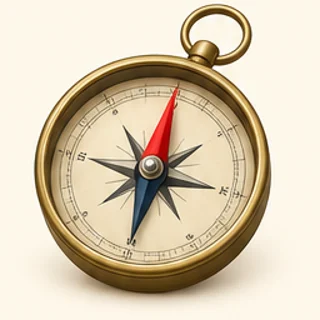
Tap the picture for “compass”.
Build compass.
Tap the picture for “flashlight”.
Build flashlight.
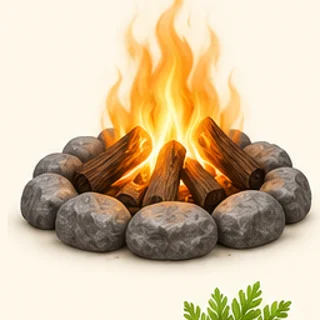
Tap the picture for “campfire”.
Build campfire.
Tap the picture for “marshmallow”.
Build marshmallow.
Make & Write
Write
Print p.11
Write two connected sentences.
Write two connected sentences about the camping plan.
Maths Mission
Fair Shares
Print p.12
Think about fair, equal parts. Draw the shapes or use paper if it helps.
Shade one half.
Shade one quarter.
Share 8 items fairly between 2 people.
Tap a counter, then a group. Reset if you want to move them again.
Mini Mission
Share the Camping Gear
Print p.12
Make the two tents fair.
Share 8 pieces of camping gear equally between 2 tents. How many items should each tent get?
Tap a counter, then a group. Reset if you want to move them again.
Draw or arrange the two equal groups of camping gear and explain why the share is fair.
🌿 Complete this away from the screen, then come back.
Game Break
Which Is One Half?
Print p.12
Choose the fair-share answer.
Which means one half?
Half of 6 = ?
Check In
How did Week 4 feel?
Print p.12
Choose the answer that feels right.
How did Week 4 feel?
Check your answer, then try the next task.
Need a hand? · Tips and examples
Tap a picture to choose it. Use Check when it appears. A mistake is a chance to try again. For writing or drawing, use “I did it” when you have finished your own work.
You can move between steps to explore. Only checked answers and your completed work count towards progress.
Everyone learns differently. Choose anything that helps you. No diagnosis is needed. Try easier reading, less at once or a quiet screen. You can change these anytime.
Need something later? Open Learning settings in the app, or Help & Settings on a learning page. Help is for everyone.